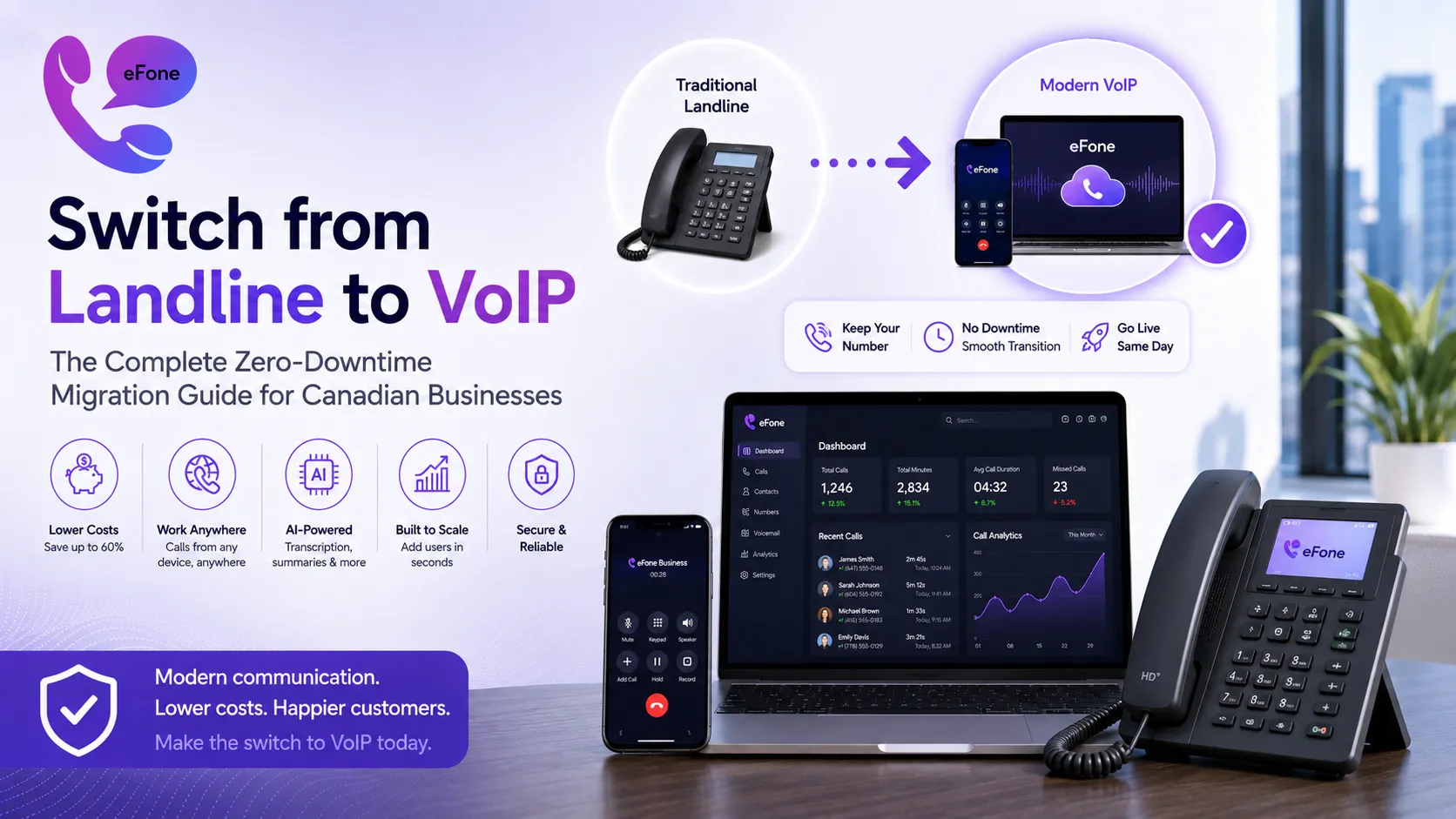
How to Switch from Landline to VoIP: The Complete Zero-Downtime Migration Guide for Canadian Businesses
Ready to switch from landline to VoIP? This step-by-step guide covers number porting, internet readiness, and setup. Try eFone risk-free: cancel within 30 days.
You can switch from landline to VoIP without missing a single call, without changing your phone number, and without any technician visits to your office. Most Canadian businesses complete the entire landline to VoIP migration in under a week, often in a single afternoon. The process is far simpler than most business owners expect, and the savings begin from your very first bill.
This guide walks through every step of how to switch from landline to VoIP in 2026: assessing your internet readiness, choosing a VoIP provider, porting your existing number, configuring your system, and going live without a moment of downtime. We also cover the common mistakes that cause businesses to stumble during VoIP migration for business, and exactly how to avoid them. If you have been putting off the switch because it sounds complicated, this guide will change your mind.
Why Canadian Businesses Are Making the Switch from Landline to VoIP Right Now
The business case to switch from landline to VoIP has never been stronger. Traditional copper landline infrastructure is being phased out globally, carriers are investing in fibre and wireless networks, not maintaining legacy PSTN lines. In practical terms, this means landline service is getting more expensive and less reliable at exactly the moment when internet-based calling is getting cheaper, better, and more feature-rich.
Here is the objective comparison between staying on landline versus completing the landline to VoIP migration:
| Factor | After You Switch from Landline to VoIP | Staying on Traditional Landline |
|---|---|---|
| Monthly Cost (10 lines) | $350/month with eFone | $600-$1,200/month |
| Long-Distance Calls | Unlimited US & Canada included | $0.05-$0.25/minute extra |
| Add a New Line | 60 seconds in your dashboard | 3-7 days, technician call |
| Remote Worker Access | Full features from any device | Complex forwarding, extra cost |
| AI Transcription | Included, every call | Not available on landline |
| Hardware Required | None, app on phone or laptop | Desk phones, wiring, PBX |
| Setup & Migration | Same-day for most businesses | Weeks, on-site installation |
Average annual savings after a landline to VoIP migration for a 10-line business: $3,000-$10,200. Beyond cost, when businesses switch from landline to VoIP they gain AI call transcription, CRM integration, a mobile app that makes every employee's smartphone a business phone, and a help desk that turns calls into trackable tickets automatically. These are capabilities that no landline can match, regardless of how much you pay. See eFone's full feature list for everything included.
Before You Switch from Landline to VoIP: What to Check First
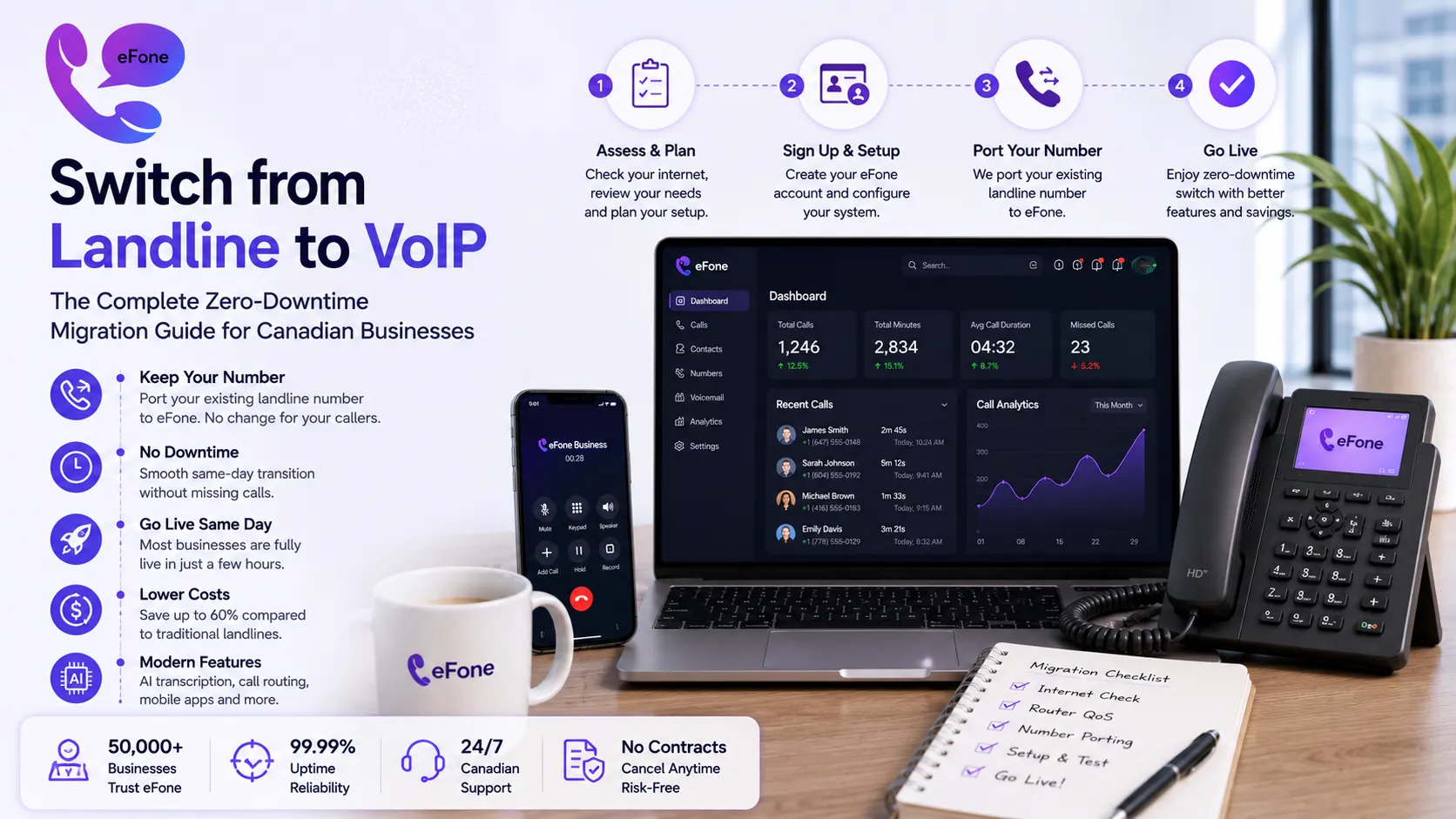
A successful landline to VoIP migration begins before you sign up for anything. Run through these three checks before initiating any VoIP migration for business:
1. Test Your Internet Connection
VoIP runs on your broadband. The minimum requirement to switch from landline to VoIP is 2.5 Mbps upload and download speed per simultaneous call. For a 10-person office with 5 people on calls at once, you need at least 12.5 Mbps, most Canadian business internet connections comfortably exceed this. Run a speed test at fast.com before starting your VoIP migration for business. If your result is below 25 Mbps with ping under 100ms, contact your ISP to upgrade before your switch from landline to VoIP goes live.
2. Check Your Router's QoS Settings
QoS (Quality of Service) settings tell your router to prioritise voice traffic over video streaming, file downloads, and other internet activity. Without QoS enabled, a large file upload can cause choppy audio on calls. Most modern business routers support QoS, check your router admin panel and enable it before completing your landline to VoIP migration. This single step prevents the majority of call quality complaints after businesses switch from landline to VoIP.
3. Review Your Existing Landline Contract
Check whether you are in a fixed-term contract with your landline provider and whether early termination fees apply. Critically, do not cancel your landline service until your VoIP migration for business is fully complete and your number has been ported. Cancelling early releases your phone number and makes it impossible to transfer it to your new VoIP system. This is the most common and most painful mistake businesses make when they switch from landline to VoIP.
How to Switch from Landline to VoIP: Step-by-Step with eFone
Once your internet connection is confirmed ready, here is the complete VoIP migration for business process, the same steps eFone walks customers through every day:
Step 1: Get started
No credit card required. Your eFone account is active immediately. You can explore the entire platform, make test calls, configure routing, try the native help desk, before any money changes hands. This is where most businesses confirm the decision to switch from landline to VoIP is the right one.
Step 2: Set up a temporary number for testing
eFone assigns you a new virtual number instantly. Use this number for internal testing during your landline to VoIP migration, make calls, test call quality, configure your auto-attendant, while your existing landline stays fully operational.
Step 3: Configure your system before porting
Set up your call routing, auto-attendant greeting, extensions, ring groups, and voicemail settings before your number transfer. This means your cancel landline switch to VoIP moment is seamless, everything is already configured when your number arrives. See the full configuration options available for business teams.
Step 4: Initiate number porting
Contact the team and request number porting VoIP transfer. You'll need your current landline account number, the account holder name and billing address, and a recent phone bill. eFone supplies the Letter of Authorization (LOA), you sign it and the team handles the rest. Your landline to VoIP migration number transfer typically completes in 1-3 business days for single lines.
Step 5: Go live, then cancel your landline
Once eFone confirms your number porting VoIP transfer is complete and all calls are routing correctly, contact your landline provider to cancel your old service. Only cancel after confirming the port is done. At this point, your switch from landline to VoIP is complete. Your number is in the cloud, your team is using the app, and you are no longer paying landline rates.
Number Porting VoIP: How to Keep Your Business Phone Number When You Switch
The number one concern businesses raise before they switch from landline to VoIP is: will I lose my phone number? The answer is no, and the process protecting your number is called number porting VoIP. Number porting VoIP is the technical process that transfers your existing phone number from your landline carrier to your new VoIP provider.
Here is exactly what you need to know about number porting VoIP before you replace business landline service:
Number porting is a legal right
In Canada, the CRTC mandates that carriers allow number porting upon request. Your landline provider cannot legally block your switch from landline to VoIP by refusing to release your number. If they delay without reason, file a complaint with the CRTC.
Your landline stays active during porting
During the number porting VoIP process, your existing landline remains fully operational. You will not miss a single call during your landline to VoIP migration. Only after eFone confirms the transfer is complete do you cancel the old service.
Single lines port in 1-3 business days
A single Canadian business number transferred through eFone's number porting VoIP process typically completes in 1-3 business days. Multi-line ports or numbers bundled with internet service may take 5-7 days. eFone handles the process, you just provide the documentation.
Number porting VoIP is free with eFone
There is no porting fee when you switch from landline to VoIP with eFone. Local Canadian numbers, toll-free numbers, and vanity numbers all port at no charge. Compare this to some providers who charge $25-$75 per number. See transparent pricing for all plans.
You can port multiple numbers simultaneously
If your business has several landline numbers, a main line, a fax line, a toll-free number, eFone can manage all of them in your VoIP migration for business. Every number moves to the cloud under the same account.
5 Mistakes to Avoid When You Switch from Landline to VoIP
Thousands of businesses switch from landline to VoIP every month. Here are the five mistakes that consistently cause problems, and how to avoid every one of them:
Cancelling the landline before the port is complete
This is the most damaging error in a landline to VoIP migration. If you cancel your landline service before the number porting VoIP process finishes, your number is released back to the carrier pool and can be assigned to someone else. Always wait for written confirmation from eFone that your number porting VoIP transfer is done before you cancel.
Not testing call quality before going live
Use your first 30 days to make real calls from every device your team will use, laptop, mobile, and desk phone if applicable. Catch any QoS or internet issues during testing, not after you've already replaced business landline service.
Skipping the auto-attendant configuration
Many businesses rush to replace business landline service, then realise their new VoIP system still routes all calls to one person's extension because routing was never set up. Configure your auto-attendant, ring groups, and extensions before going live. eFone's full configuration options walk through every step.
Choosing a provider based on price alone
Some cheap VoIP providers charge separately for call recording, CRM integration, and mobile apps, features that should be included. Before you switch from landline to VoIP, ask for a sample invoice, not just the advertised per-user price. eFone offers fully transparent pricing with no hidden fees.
Forgetting to update your business listings
Once your VoIP migration for business is complete and you have replaced business landline service, your number is the same but your provider has changed. Update Google Business Profile, your website, and any directories where your number appears to confirm continued accuracy. The number stays the same, the provider record behind it does not.
What Happens to Your Existing Hardware When You Replace Business Landline Service?
When businesses switch from landline to VoIP, one of the most common questions is what to do with physical desk phones. The short answer: you probably do not need them. eFone's VoIP migration for business eliminates the need for new hardware, your team makes and receives business calls from the eFone mobile app on their existing smartphones, from a browser via the web phone, or from a desktop app. No new hardware purchase required.
If your team prefers desk phones after you replace business landline service, here are your options:
- Compatible SIP desk phones (Yealink, Poly, Cisco) plug into your network and work with eFone, no analog adapter needed
- Analog Telephone Adapters (ATAs) let you use existing analog handsets with your new VoIP system temporarily
- The eFone mobile app on existing smartphones is the most popular option, zero hardware cost, full feature parity
- Most teams find they prefer the mobile app within a week of completing their landline to VoIP migration
You can also test the web phone with no setup at all and make a real VoIP call from your browser right now to experience the call quality before committing to anything.
Why Choose eFone for Your Switch from Landline to VoIP
- Free number porting for all Canadian numbers, local, toll-free, and vanity
- Full coverage of Canadian area codes
- Transparent, all-inclusive pricing at $35/user/month, see transparent pricing online
- AI transcription, help desk, CRM integration included in the base Business plan
- Canadian compliance, CRTC-aligned infrastructure with E911 on every number
- A 30-day cancel guarantee on Business
- Dedicated migration support, Contact the team throughout your VoIP migration for business
- Enterprise-scale solutions for multi-location organisations
Unlike US-headquartered providers that treat the Canadian market as an afterthought, eFone was built from the ground up for Canadian and North American businesses. Your landline to VoIP migration is supported by a team that knows your market, your carrier environment, and the compliance requirements specific to Canadian telecoms.
FAQ: Switch from Landline to VoIP
How long does it take to switch from landline to VoIP?+
Most businesses complete the switch from landline to VoIP in 1-5 business days from signup to going live. Internet readiness testing and system configuration can happen the same day. Number porting VoIP transfer typically adds 1-3 business days. Get startedyou could be live by the end of the week.
Will I lose my existing phone number during the landline to VoIP migration?+
No. Number porting VoIP protects your number throughout the migration. Your landline stays active during porting, and only after eFone confirms the transfer is complete do you cancel your old service. No call is missed, no number is lost.
Do I need to buy new phones to switch from landline to VoIP?+
No. eFone's VoIP migration for business uses the devices your team already owns. The eFone app runs on iOS, Android, Mac, and Windows. Many businesses replace business landline service without purchasing any new hardware at all.
What internet speed do I need to switch from landline to VoIP?+
A minimum of 2.5 Mbps upload and download per simultaneous call. A 10-person office with 5 concurrent calls needs 12.5 Mbps or more. Most Canadian business broadband connections easily support this, run a speed test before your landline to VoIP migration.
What happens to my fax line when I replace business landline service?+
Fax-over-IP is available through eFone, allowing you to send and receive faxes digitally on the same account. Your existing fax number can be ported as part of the VoIP migration for business. Contact the team to discuss your specific fax setup.
Can I cancel my landline as soon as I sign up for VoIP?+
No, this is the most common mistake when businesses switch from landline to VoIP. Do not cancel your landline until number porting VoIP transfer is confirmed complete. Cancelling early releases your number and prevents it from being ported.
Conclusion: Your Switch from Landline to VoIP Starts Today
The decision to switch from landline to VoIP is one of the most straightforward cost and capability upgrades available to any Canadian business in 2026. The landline to VoIP migration is faster than most businesses expect, your number is protected throughout, and the savings start from your first month, not after some long payback period.
eFone makes the switch from landline to VoIP as simple as possible: free number porting, a guided migration process, 24/7 access to your configuration dashboard, and a team ready to support your VoIP migration for business at every step. When you replace business landline service with eFone, you also gain AI call transcription, an integrated help desk, CRM integration, and a mobile app, features your landline could never provide at any price.
Get started. Try a live call with the web phone with no sign-up needed. Explore transparent pricing for every plan. For multi-location VoIP migration for business, ask about Enterprise-scale solutions. And when you're ready to initiate number porting VoIP or have any questions, Contact the team.
Ready to get your number?
Set up a business phone and help desk on one account, or grab a personal line to call home — usually in minutes.
Get started