SMS scheduling
Send Messages at the Right Time
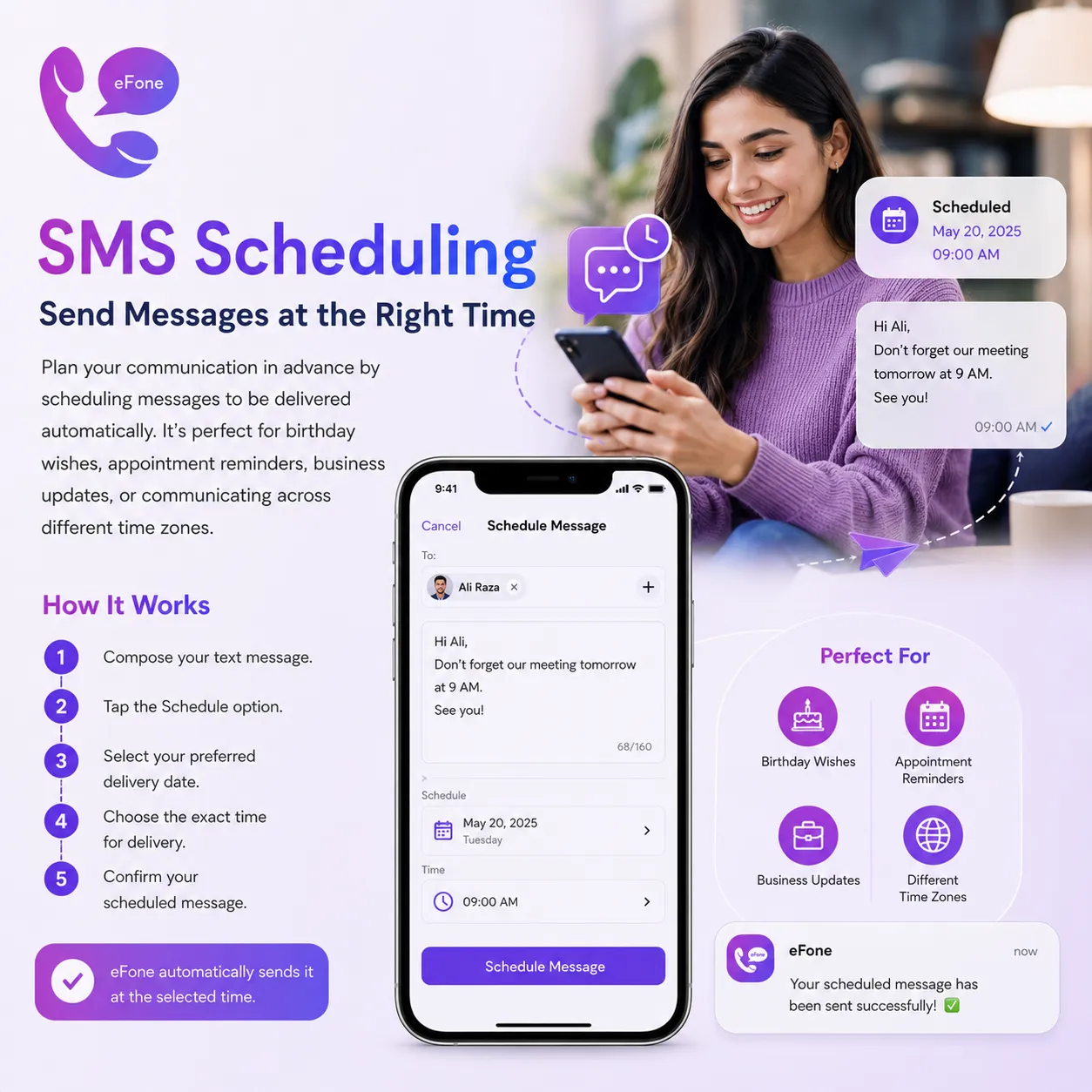
Plan your communication in advance by scheduling messages to be delivered automatically. It's perfect for birthday wishes, appointment reminders, business updates, or communicating across different time zones.
Feature Summary
Compose your text message. Tap the Schedule option. Select your preferred delivery date.
How It Works
- 1
Compose your text message.
- 2
Tap the Schedule option.
- 3
Select your preferred delivery date.
- 4
Choose the exact time for delivery.
- 5
Confirm your scheduled message.
- 6
eFone automatically sends it at the selected time.
Frequently Asked Questions
What is SMS Scheduling?+
SMS Scheduling allows you to write a message now and have eFone automatically send it at a specific date and time in the future.
How do I schedule a message?+
Compose your message, tap the Schedule option, choose your preferred date and time, and confirm. eFone will send the message automatically at the scheduled time.
Why should I use SMS Scheduling?+
It's perfect for birthday wishes, appointment reminders, business updates, holiday greetings, follow-ups, or sending messages across different time zones.
Can I edit a scheduled message before it's sent?+
Yes. You can open your scheduled messages, make changes to the content, or update the delivery date and time before it is sent.
Can I cancel a scheduled message?+
Yes. You can cancel or delete a scheduled message at any time before its scheduled delivery.
Where can I view my scheduled messages?+
All scheduled messages are stored in the Scheduled Messages section of the eFone app, where you can view, edit, or manage them.
What happens if my phone is turned off at the scheduled time?+
Since eFone is a cloud-based service, your scheduled message will be sent as long as your account is active and the service can process the request.
Do I need an internet connection to schedule or send messages?+
Yes. An internet connection is required to create, manage, and send scheduled messages through eFone.
Can I schedule messages for international numbers?+
Yes. You can schedule SMS messages for supported international numbers, subject to your plan and destination availability.
Can I schedule messages using my Second Number?+
Yes. If you have multiple numbers in your eFone account, you can choose which number to send the scheduled message from.
Will I receive a notification after the message is sent?+
Yes. eFone can notify you once your scheduled message has been successfully sent, depending on your notification settings.
Is there a limit to how many messages I can schedule?+
The number of scheduled messages you can create may depend on your eFone plan. You can manage all your upcoming scheduled messages directly from the app.
Simple pricing — rates shown up front
Pay per user and per number, add only what you need.
Personal
+ pay-as-you-go international
- A US or Canada number from $9.99/mo, incoming calls included
- Second number & call home cheaply
- Free eFone-to-eFone calls worldwide
Purchase number
US & Canada — local, toll-free, or second line
- Pick a US or Canada number for personal use — no SIM, no contracts.
- Local, toll-free, vanity, or a second line — choose your area code.
- Port your existing US or Canada number free — keep the number you have.
Business · phone + help desk
1 free number per user
- Cloud phone + AI help desk on one account
- Extensions, routing & team inbox
- No free trial — cancel within 30 days
What's always included — at every tier
Every eFone account comes with these features from day one. No add-ons, no surprises.
Incoming US & Canada calls
Every call to your eFone number is included — no per-minute charge to answer. Outbound is pay-as-you-go at the rate shown before you dial.
Free eFone-to-eFone calls
Calls between eFone users are always free, anywhere in the world — no minutes used.
Visual voicemail
Read, replay, and manage voicemails right in the app. Voicemail-to-email also included.
Incoming SMS
Receive text messages on your eFone number. Outbound SMS is pay-as-you-go on the $9.99/mo Number plan.
Wi-Fi & data calling
High-definition calls over Wi-Fi or mobile data — no cellular minutes needed.
Caller ID — your verified number
Outgoing calls show the number you verified on your account — no spoofing, always your number.
Web phone access
Call and check messages from any browser — no install required. Included on all plans.
iOS & Android apps
Full-featured mobile apps for iOS and Android — free to download, included on every plan.
Number porting
Bring your existing number to eFone for free. Keep the number your contacts already know.
Get your US or Canada number today
Download eFone or open the web phone — for you, your family, or your whole team.