SMS & MMS
Send More Than Just Text
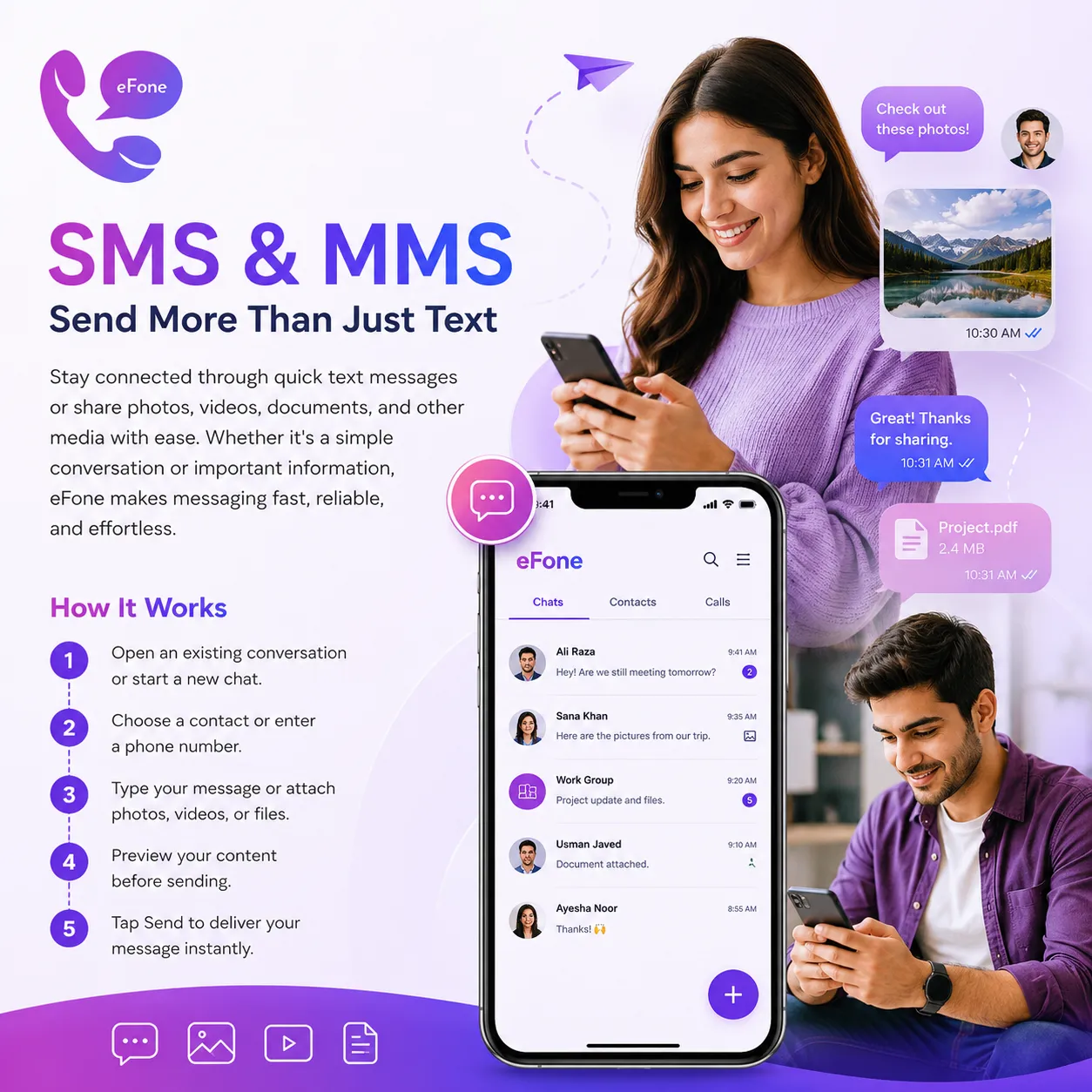
Stay connected through quick text messages or share photos, videos, documents, and other media with ease. Whether it's a simple conversation or important information, eFone makes messaging fast, reliable, and effortless.
Feature Summary
Open an existing conversation or start a new chat. Choose a contact or enter a phone number. Type your message or attach photos, videos, or files.
How It Works
- 1
Open an existing conversation or start a new chat.
- 2
Choose a contact or enter a phone number.
- 3
Type your message or attach photos, videos, or files.
- 4
Preview your content before sending.
- 5
Tap Send to deliver your message instantly.
Frequently Asked Questions
What is the difference between SMS and MMS?+
SMS (Short Message Service) is used for sending text-only messages, while MMS (Multimedia Messaging Service) allows you to send photos, videos, documents, audio files, and other supported media along with your messages.
Can I send both SMS and MMS through eFone?+
Yes. eFone supports both SMS and MMS, allowing you to send text messages as well as multimedia content from a single app.
What types of media can I send?+
You can share photos, videos, audio clips, documents, and other supported file types through MMS.
Do I need an internet connection to send messages?+
Yes. Since eFone is a VoIP communication platform, you'll need a Wi-Fi or mobile data connection to send and receive SMS and MMS.
Can I send messages internationally?+
Yes. You can send SMS and MMS to supported international numbers, depending on your plan and destination availability.
Can I send messages using my Second Number?+
Yes. If you have multiple numbers in your eFone account, you can choose which number to use before sending a message.
Will I know if my message has been sent?+
Yes. eFone provides message status updates so you can see when your message has been sent and delivered, where supported.
Is there a limit to the size of media I can send?+
Yes. MMS attachments are subject to size limits, which may vary depending on your plan and the recipient's network.
Can I keep a history of my messages?+
Yes. All your SMS and MMS conversations are securely stored in the app, making it easy to revisit previous chats.
Can I send messages to multiple recipients at once?+
Yes. You can create group conversations or send messages to multiple contacts, depending on your messaging preferences.
Is my messaging secure?+
eFone is designed with security in mind to help protect your conversations and personal information while using the app.
Can I schedule an SMS to be sent later?+
Yes. eFone includes an SMS Scheduling feature that lets you compose a message and choose the exact date and time for it to be sent automatically.
Simple pricing — rates shown up front
Pay per user and per number, add only what you need.
Personal
+ pay-as-you-go international
- A US or Canada number from $9.99/mo, incoming calls included
- Second number & call home cheaply
- Free eFone-to-eFone calls worldwide
Purchase number
US & Canada — local, toll-free, or second line
- Pick a US or Canada number for personal use — no SIM, no contracts.
- Local, toll-free, vanity, or a second line — choose your area code.
- Port your existing US or Canada number free — keep the number you have.
Business · phone + help desk
1 free number per user
- Cloud phone + AI help desk on one account
- Extensions, routing & team inbox
- No free trial — cancel within 30 days
What's always included — at every tier
Every eFone account comes with these features from day one. No add-ons, no surprises.
Incoming US & Canada calls
Every call to your eFone number is included — no per-minute charge to answer. Outbound is pay-as-you-go at the rate shown before you dial.
Free eFone-to-eFone calls
Calls between eFone users are always free, anywhere in the world — no minutes used.
Visual voicemail
Read, replay, and manage voicemails right in the app. Voicemail-to-email also included.
Incoming SMS
Receive text messages on your eFone number. Outbound SMS is pay-as-you-go on the $9.99/mo Number plan.
Wi-Fi & data calling
High-definition calls over Wi-Fi or mobile data — no cellular minutes needed.
Caller ID — your verified number
Outgoing calls show the number you verified on your account — no spoofing, always your number.
Web phone access
Call and check messages from any browser — no install required. Included on all plans.
iOS & Android apps
Full-featured mobile apps for iOS and Android — free to download, included on every plan.
Number porting
Bring your existing number to eFone for free. Keep the number your contacts already know.
Get your US or Canada number today
Download eFone or open the web phone — for you, your family, or your whole team.